Digitising burial records
Move the ledger across a page at a time.
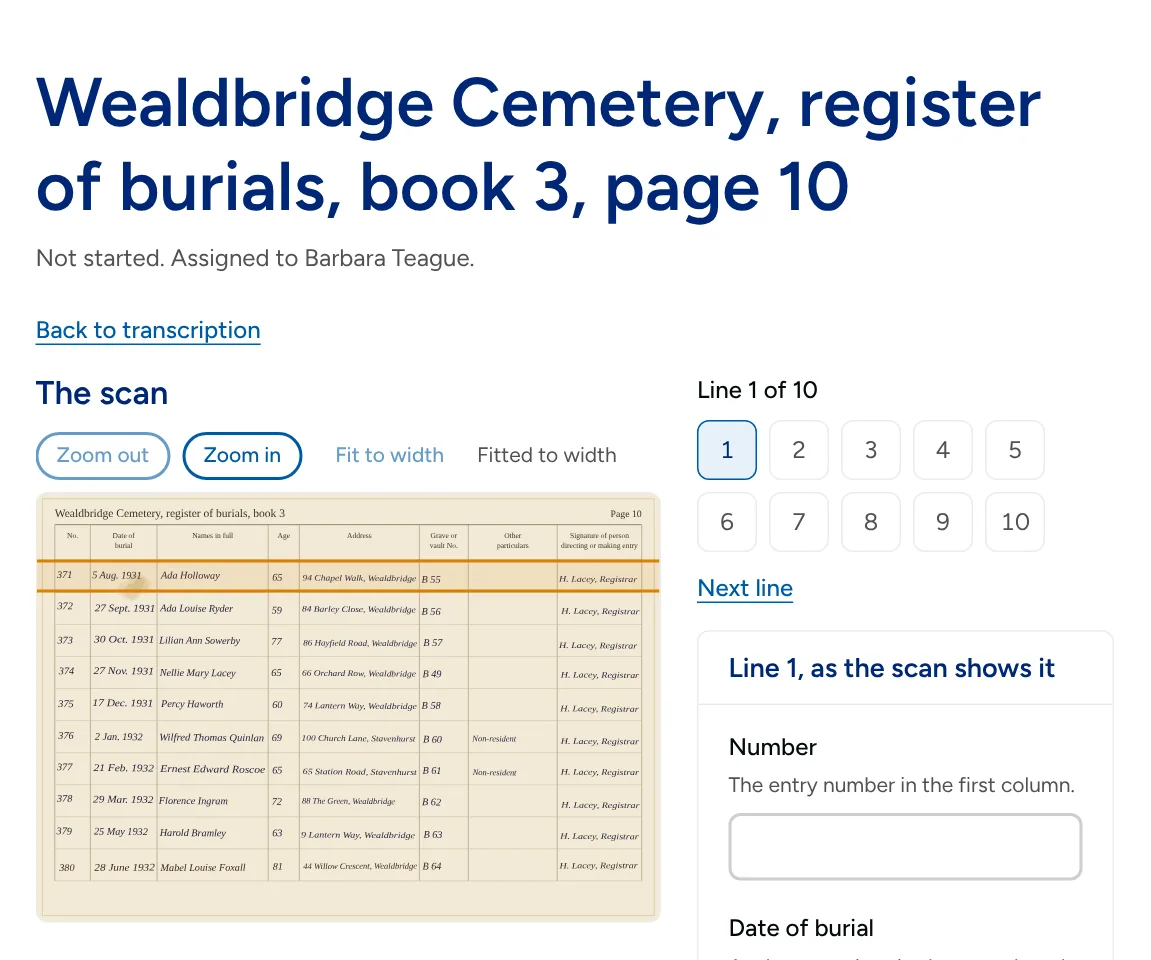
Staff and volunteers type each page in beside its scan, zoomed in where the hand is hard to decipher. A report then lists what does not reconcile.
The quote request form is on the contact page.
Burial register transcription
Transcribe beside the scan
The scan sits beside the form, and each entry keeps a link to its page and line.
Volunteer access
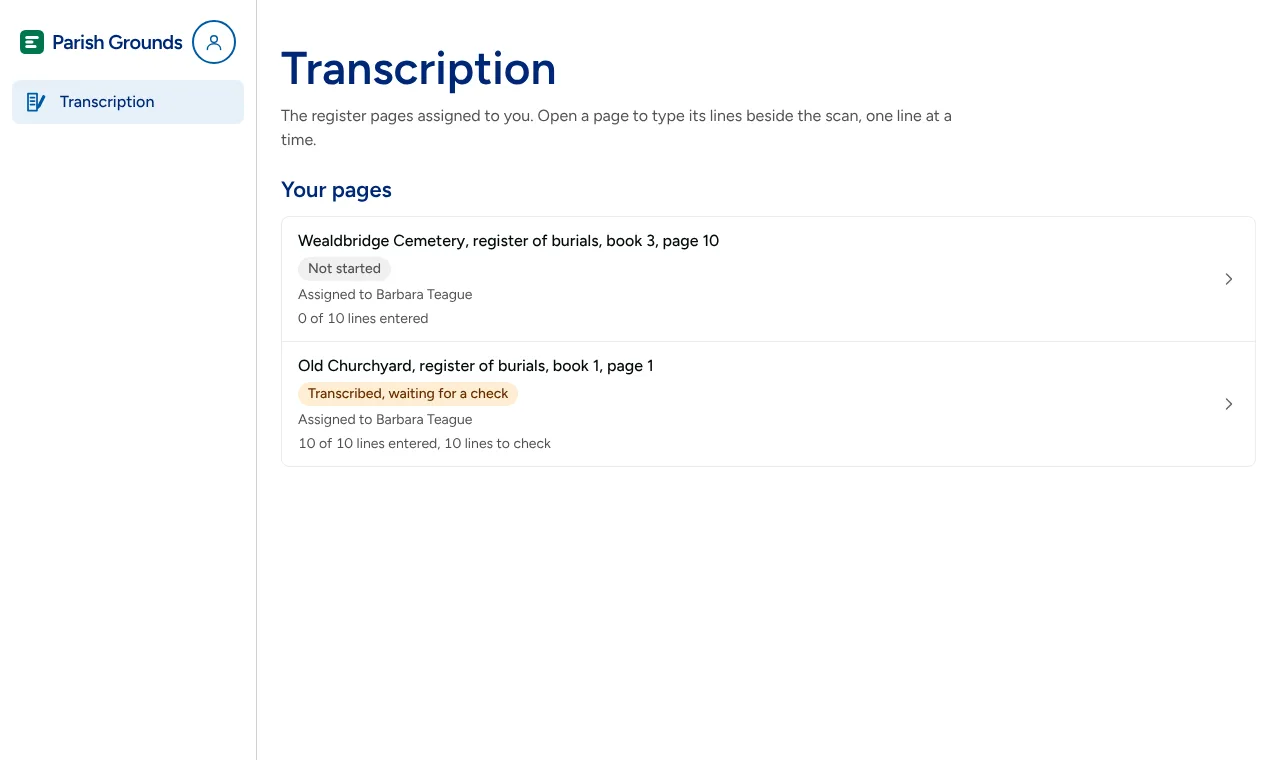
Volunteers, with transcription-only access
Volunteers see only the scans and the entry form, and a second person can mark each entry checked.
Spreadsheet import
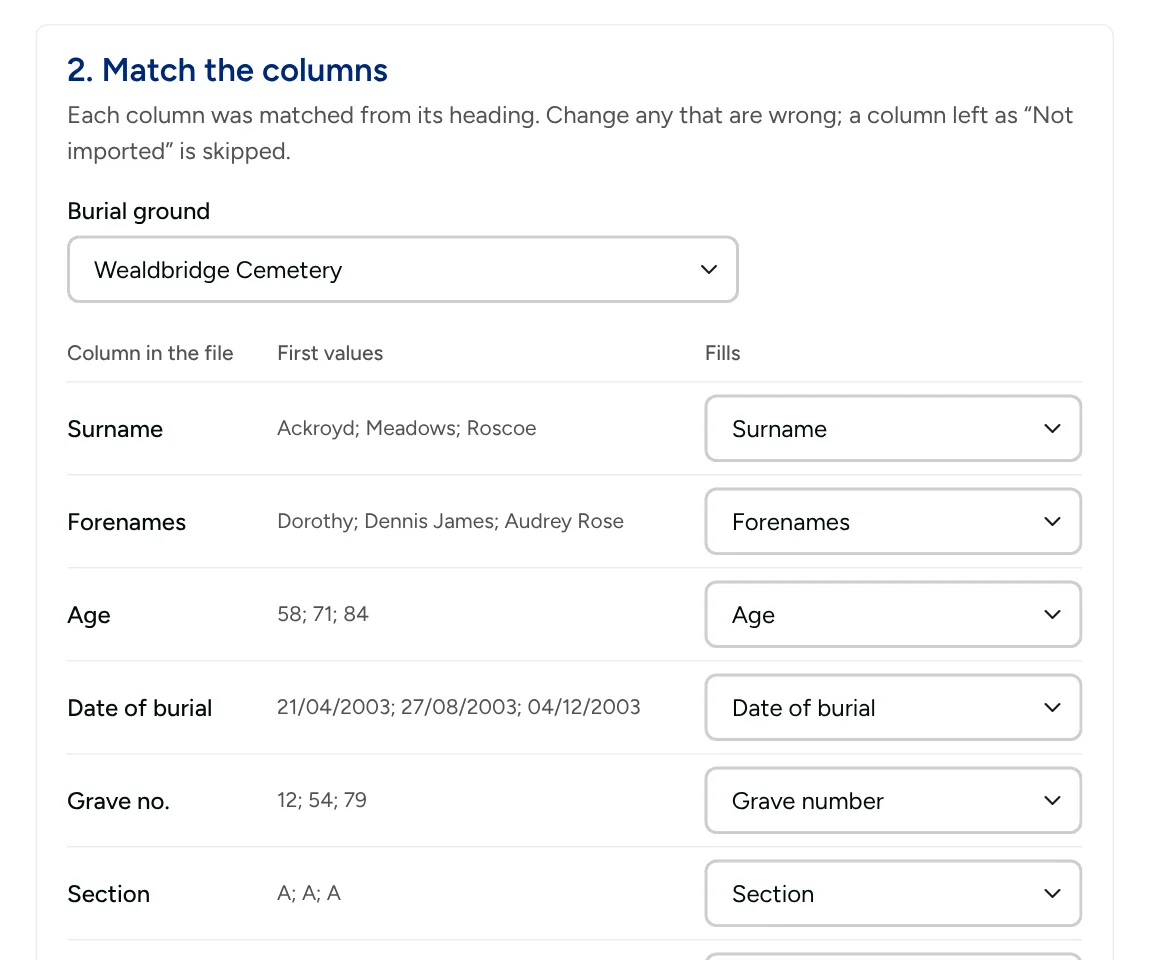
Import a spreadsheet
Match each column to a register field. Rows that fail a check are flagged and left out until fixed.
The reconciliation report
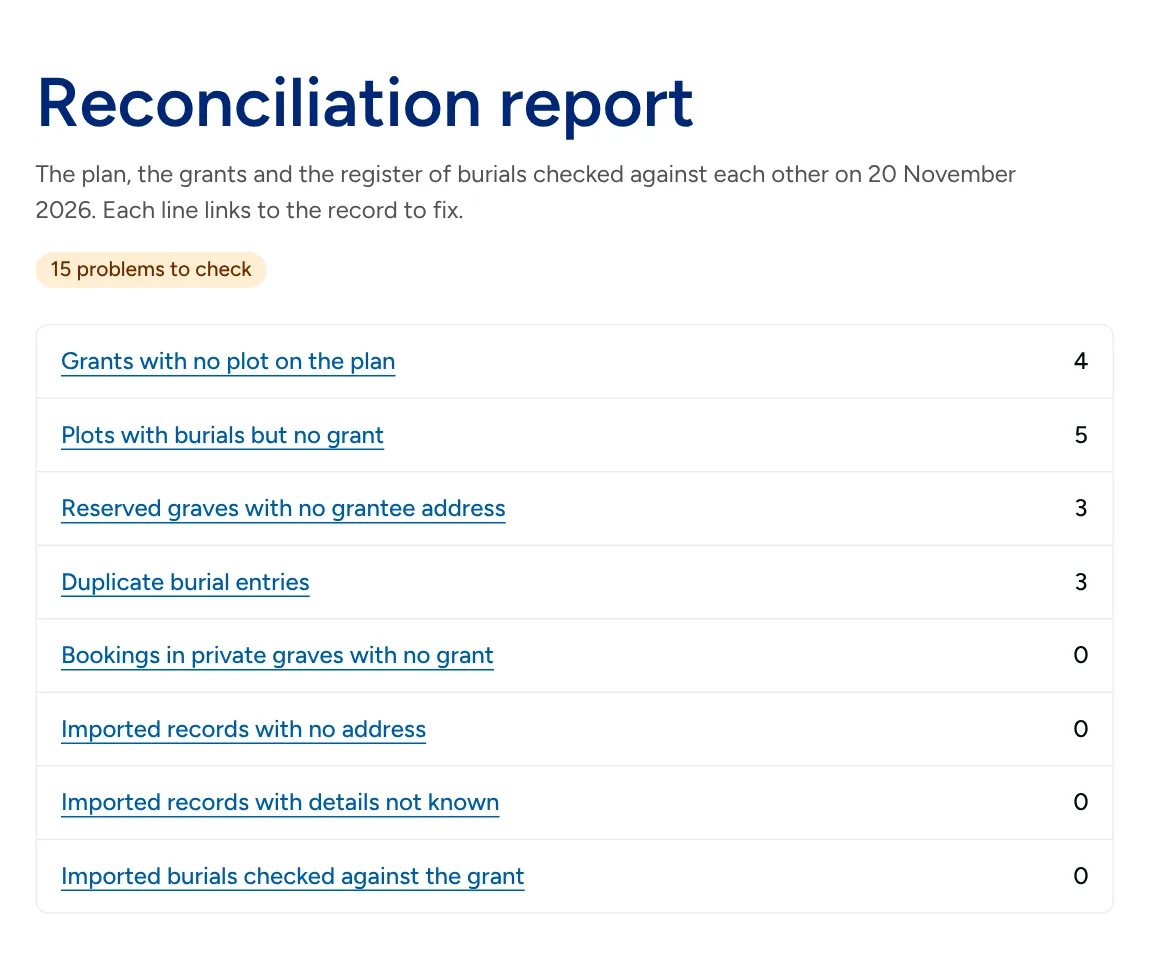
Find the records that do not reconcile
It lists grants with no plot on the plan, plots with burials but no grant, reserved graves with no grantee address, and repeated burial entries.
A typical move
Four steps, whoever does the typing
1. Draw the plan
Number every grave, so each entry has a grave to go against.
2. Scan the books
Each scan is stored with the entries typed from it.
3. Transcribe and import
Staff and volunteers type the entries in, and any spreadsheet is imported.
4. Reconcile
Correct each record the report finds, and the audit trail keeps every change.
Article 12 asks that records "be stored so as to preserve them from loss or damage". The council decides where the books are kept. Read article 12 on legislation.gov.uk
Moving tools in the price
The tools come with the plan
The transcription, import and reconciliation tools come in the price of £480 a year for the council, with no set-up fee.